
Welcome to Tally
Know which AI is in your organization, who is using it, and what needs review. Gödel Tally is an open-source AI discovery, inventory, and governance application that runs on your infrastructure.
Quickstart#
Run the installer as your normal user on Linux or macOS. It downloads the latest binary for amd64 or arm64, verifies its checksum, installs PostgreSQL and ClickHouse, and starts a user service.
curl -fsSL \
  https://raw.githubusercontent.com/godellabs-ai/godel-tally/main/install.sh \
  -o install-tally.sh && \
  bash install-tally.sh --port 8443
Open https://localhost:8443 and create the first administrator account. Change 8443 to choose another HTTPS port. The local certificate is self-signed.
The production UI, API, authentication, and connector worker are embedded in one executable. Node.js and nginx are not required. Docker is optional for Gödel Tally.
Your first discovery workflow#
- Create your administrator account, then invite teammates from Users.
- Open Connectors, configure one source with its required read-only permissions, and request a sync.
- Explore Overview and its findings. Open a row to inspect the observation, source, and available attribution.
- Review provider and model decisions in AI Registry. A governance decision records approval; it does not block vendor traffic.
No source ready yet? Select Add evaluation data on an empty Overview, or use Settings → Evaluation workspace. These fictional enterprise examples use real product names and need no vendor credentials. Remove them through the same settings panel when finished.
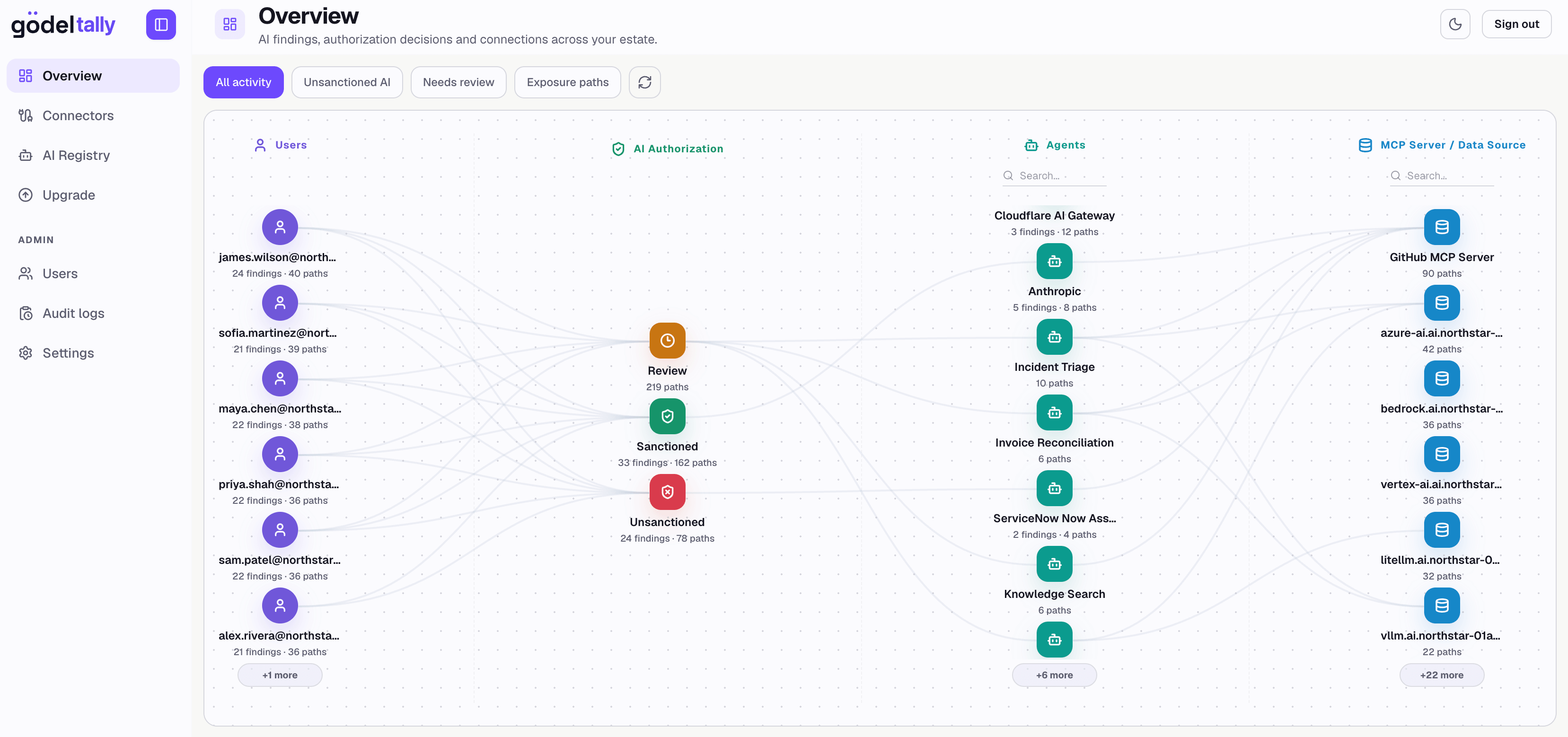
The evaluation workspace illustrates the product workflow; it does not establish live coverage of your organization.
Choose your next step#
Choose your databases
Use native packages, Docker, Apple containers, or existing database servers.
Connect your sources
Bring cloud, gateway, security, and infrastructure metadata into Tally.
Operate Tally
Manage services, backups, updates, and optional database removal.
Build and contribute
Run Rust and Next.js with live reload and build an embedded UI binary.